
What Is a Visual Inspection Machine?
What Is a Visual Inspection Machine?
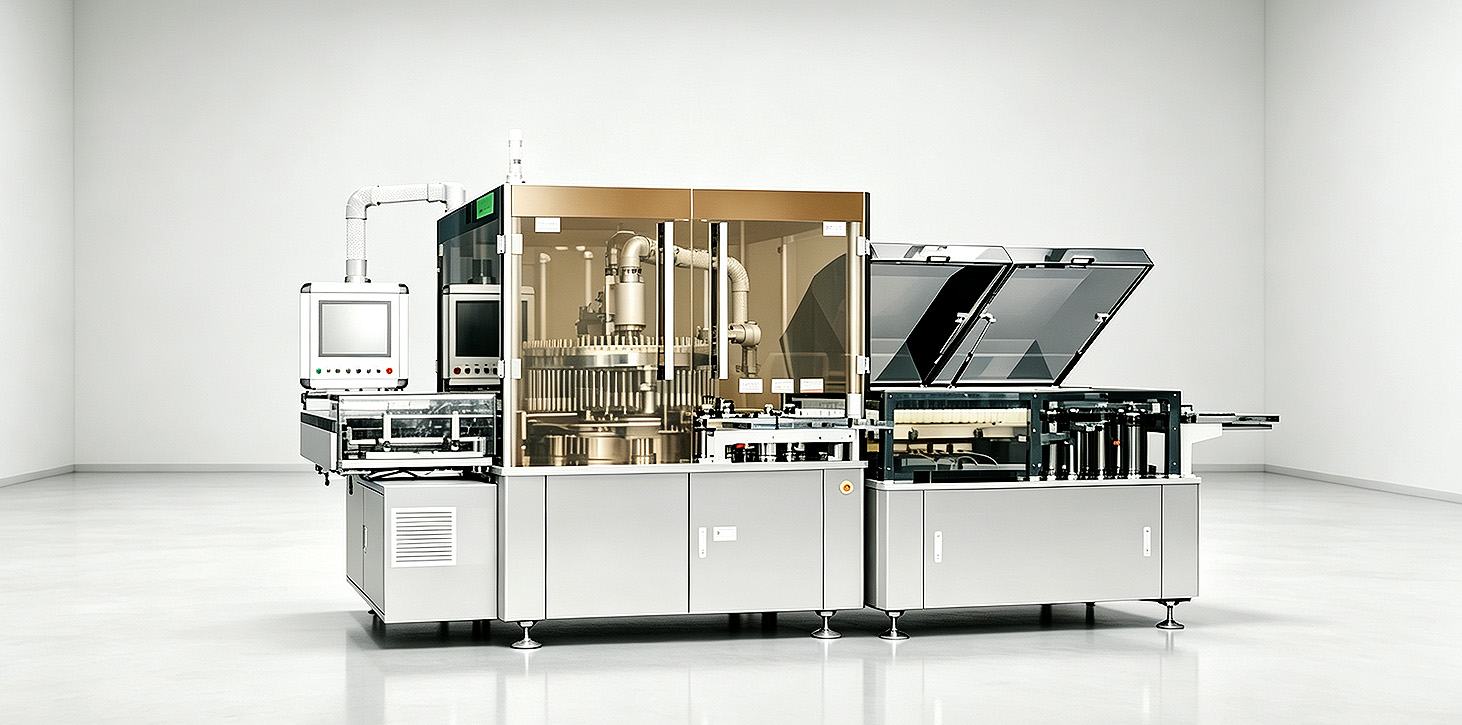
If you work with modern manufacturing or quality control teams, you know the pressure to find defects fast. You must do this without slowing down production. Manual checks were the old standard. But they are slow and inconsistent. They are also hard to scale when output grows. Today many operations switch to automated optical solutions. These give reliable results all the time. In this guide we explain what a visual inspection machine is. We show how it works. We show where it works well. We also show how to pick the right one for your operation.
What is a visual inspection machine?
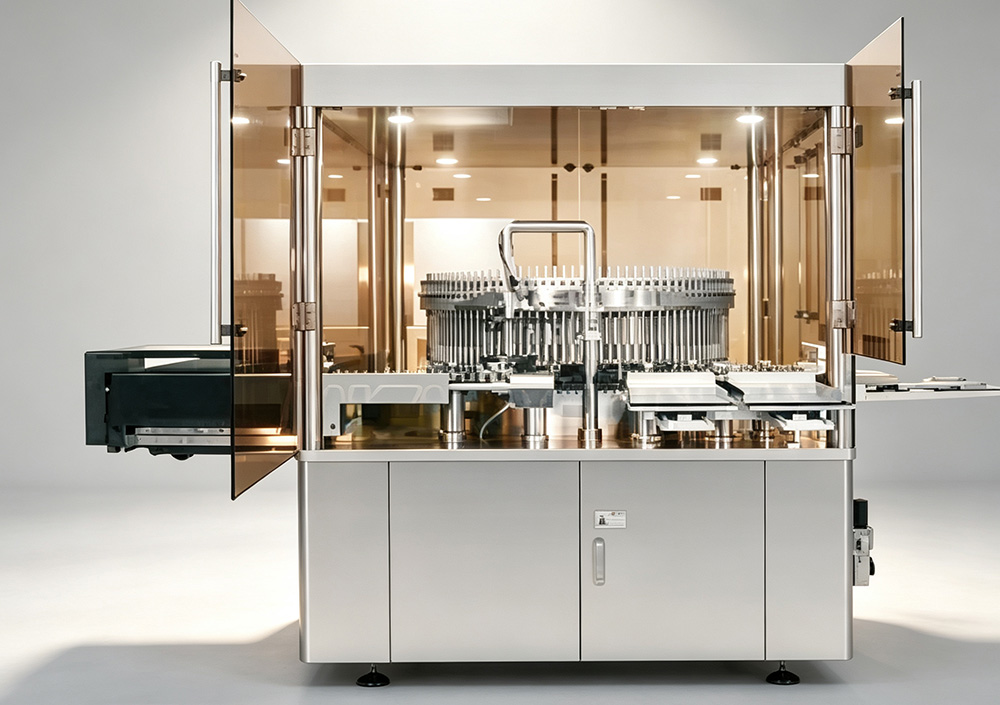
A visual inspection machine uses high-resolution cameras, targeted lighting, and smart software. It examines products as they move on the production line. The machine takes clear pictures of each item. Then it compares the pictures to set quality rules. It finds problems right away. Manual checks depend on human attention. This system stays steady for many hours. It works well during long night shifts and busy times.
It catches more than big flaws. Modern systems find very small problems that humans miss often. These include micro-scratches, misaligned labels, or missing small parts. Most setups fit right into current production lines. No big changes are needed. For many businesses a visual inspection machine pays for itself fast. It cuts waste and lowers quality costs.
How Visual Inspection Systems Work?
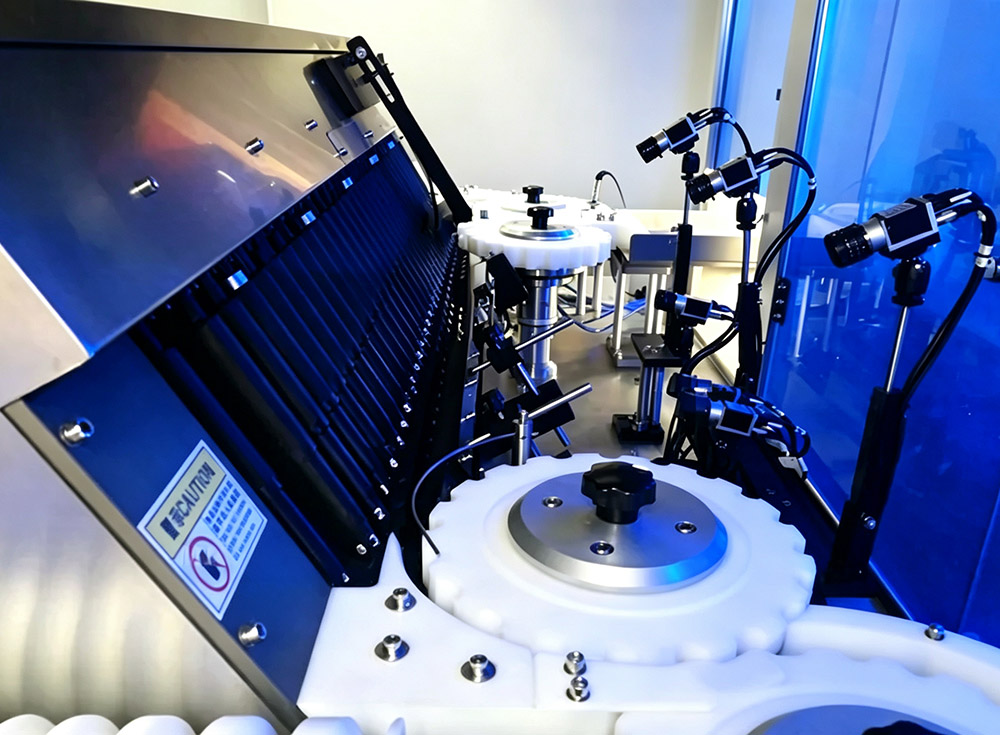
The process follows a clear cycle. It captures images, analyzes them, and makes decisions. Products move on the line. Motion sensors tell cameras when to take pictures. The pictures are clear and well lit. Software checks each picture carefully. It marks anything that does not meet the quality rules.
| 1.Image Capture: High-resolution cameras with targeted lighting take several pictures of each part from different angles. This covers all visible surfaces. 2.Image Pre-processing: The software adjusts contrast, removes noise, and focuses on the main part for better study. 3.Feature Extraction: It finds important details such as shape, size, color, texture, and position. It measures these against the quality standards. 4.Defect Identification: The system marks any mismatch like cracks, dents, wrong colors, or missing pieces as a defect. 5.Decision Making: The system uses set rules to decide if the part is good, bad, or needs human review. 6.Result Execution: Bad parts are removed automatically. All data is saved for reports and future improvements. This method is strong because of its speed and steady results on long runs. One system can check hundreds or thousands of parts each minute with the same accuracy. After good setup it removes human mistakes. It gives quality data you can trust for daily work. |
 |
Common Types of Visual Inspection Systems
Systems are not all the same. The best one depends on your products, line speed, and defects you must catch. Some do simple pass or fail checks. Others do detailed measurements and sorting. Knowing the main types helps you choose faster. You avoid paying for extra features you do not need.
1.2D Inspection Systems: These are the most common type. They work well for surface flaws, label placement, reading characters, and basic shape checks on flat parts.
2.3D Inspection Systems: They use depth technology to measure height, volume, and 3D shape. They suit complex parts like connectors or molded items.
3.Line Scan Systems: They take continuous pictures as products pass by. They are good for long or round items such as tubes, wires, or sheet materials.
4.Area Scan Systems: They take one picture of still or slow parts. They fit detailed checks on small separate components.
5.Smart Camera Systems: These are complete units with built-in processing. They are easy to set up for simple tasks without extra computers.
Many lines use hybrid setups. These combine cameras to check all angles and defect types. For most small to mid-size lines a good 2D system handles daily checks well. Complex products may add 3D or special scanning later.
Core Functions of Visual Inspection Technology
These systems do more than find defects. They serve as quality checks, data tools, and improvement helpers in one unit. Features depend on your industry and goals. Most systems have a standard set of abilities.
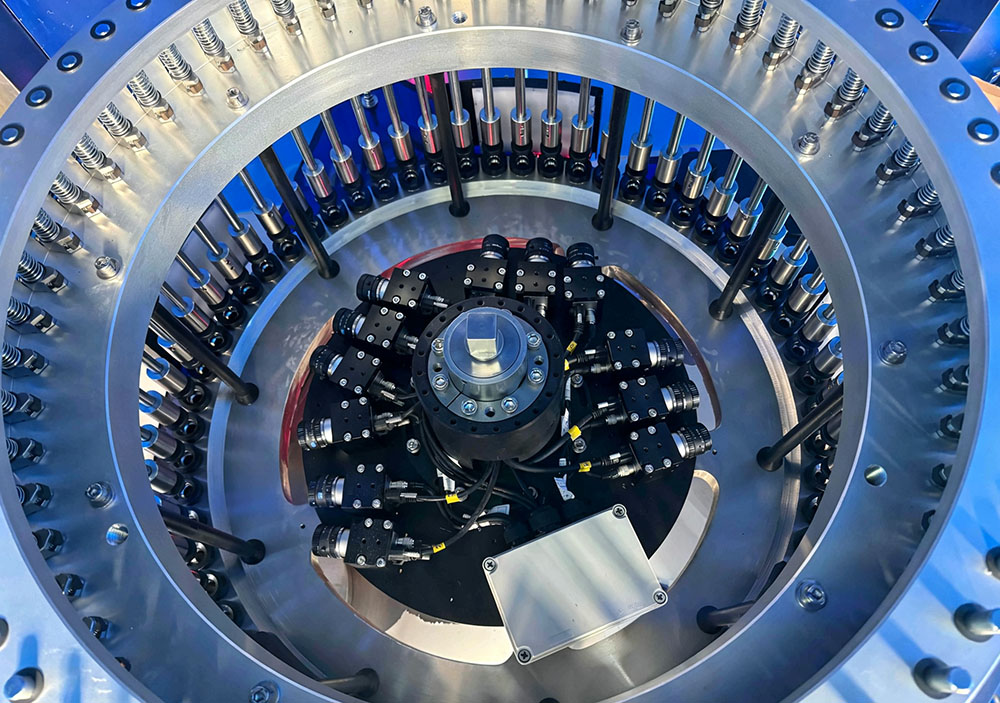 |
1.Defect Detection: It finds surface problems, cracks, scratches, dents, color changes, and other visible issues before products leave the line. 2.Precision Measurement: It makes exact size checks so parts fit and meet standards. 3.Presence/Absence Check: It confirms all needed parts, labels, caps, and features are there and in the right place. 4.Identification & Sorting: It reads barcodes, QR codes, and numbers. It sorts parts by type, grade, or defect. 5.Process Tracking: It collects data on defect rates, common problems, and line performance to help improve production. All functions in one system mean you need fewer tools. It gives one clear source of quality data for the team. Over time this leads to fewer defects, less waste, and smoother runs with fewer stops. |
Common Applications & Industries
This technology is used in nearly every industry that makes products. Good quality control helps brand reputation and rules. Some fields use it a lot because of safety needs or high volume. Here are common uses in daily manufacturing.
1.Electronics Manufacturing: It checks circuit boards for solder problems, missing parts, and wrong placement to stop later failures.
2.Pharmaceutical & Medical: It checks pills, labels, fill levels, and packaging to meet strict rules.
3.Food & Beverage: It looks at packaging, fill levels, dates, and foreign items to keep food safe.
4.Automotive Parts: It examines engine parts, seals, fasteners, and assemblies for size and surface quality.
5.Packaging & Printing: It checks label position, print quality, barcode reading, and seals for consumer goods.
Smaller areas like cosmetics, textiles, and metal work now use it too. Systems are cheaper and easier for small teams. The main need in all cases is fast, steady, and traceable checks that humans cannot do well at high scale or long hours.
Core Components of an Inspection System
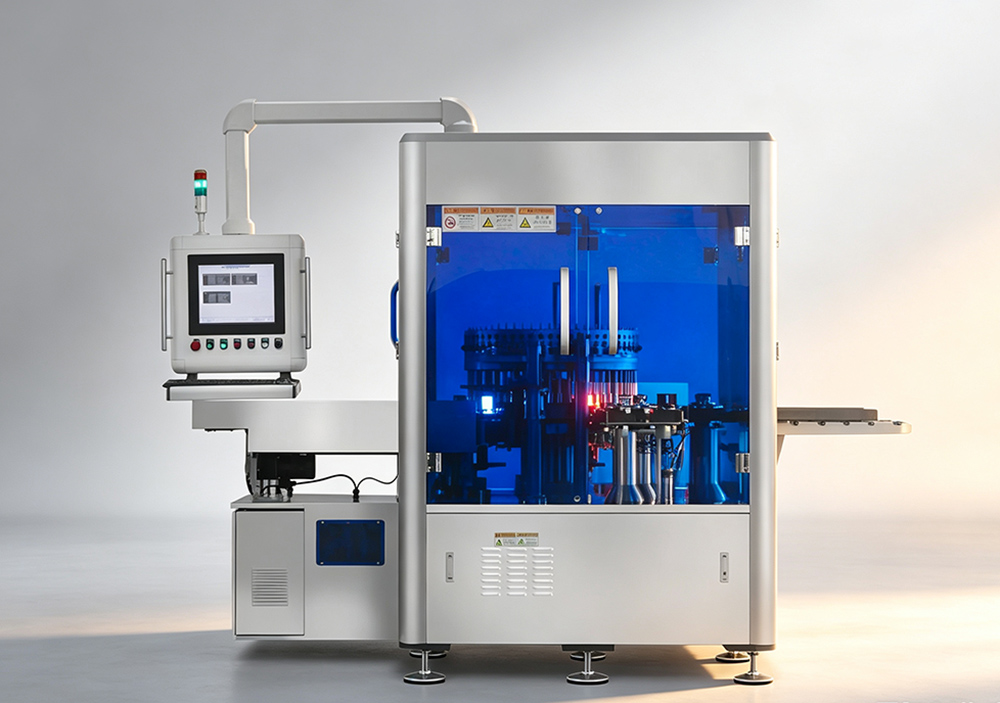
A full system has several parts that work together. Each part affects performance and accuracy. You do not always need the most expensive ones. The right mix for your job is important for good long-term results.
| 1.Cameras & Lenses: These are the eyes of the system. Higher resolution catches small defects. Special lenses manage distances and views. 2.Lighting Units: Good lighting shows defects clearly. Options include ring lights, backlights, and spotlights for different jobs. 3.Processing Unit: A computer or built-in part runs the software and analyzes images fast. 4.Sensors & Triggers: They tell cameras the exact time to take pictures as parts move. 5.Output & Integration Tools: These include reject systems, data logs, and links to your production controls. The right combination matters more than top parts alone. A system matched to your products and speed works better than an expensive one with extra features you do not use. |
 |
Benefits Compared to Manual Inspection
Teams often ask if a visual inspection machine is worth the cost over manual work. Both have uses. But automated checks give clear advantages for high-volume and precise work.
1.Consistent Accuracy: It does not get tired or distracted. It gives the same results from the first part to the last.
2.Faster Processing Speed: It checks hundreds of parts per minute. It matches fast lines without delays.
3.Lower Long-Term Cost: It reduces labor for repeat tasks and cuts waste by early defect finds.
4.Better Data & Traceability: It records every result. This helps track trends and show compliance.
5.Reduced Human Error: It removes mistakes from fatigue, personal views, and different training levels.
Humans are still needed for complex decisions, small custom runs, and final checks. For repeat high-speed precise tasks, automated systems give better value and consistency over time.
How to Choose the Right System?
Choosing a visual inspection machine does not need to be hard. First know what you must inspect, what defects matter, your line speed, and your budget. Think about future changes in volume or products. These answers help you pick good options.
 |
1.Define Your Inspection Goals: List the defects, measurements, or checks. Note the smallest flaw size you must find. 2.Match to Your Line Speed: Make sure the system keeps up with current and future rates. 3.Consider Ease of Use: Choose software your team can learn fast without special experts. 4.Test With Your Parts First: Run your real products in a demo to confirm it finds your defects. 5.Plan for Support & Updates: Pick a provider with good help and regular updates. Take time to match the visual inspection machine to your needs. This gives the best return. If new to it, start with one problem area. Expand after you see good results. |
A visual inspection machine is more than a quality tool. It is an investment in steady and growing production for your business. It gives fast, steady, and traceable results. These help cut waste, meet rules, and satisfy customers in every batch. Whether you have a small shop or large line, there is a setup for your needs and budget. Start with your goals. Check options step by step. You will find a solution that pays back quickly.
FAQ
1.How much does a basic visual inspection machine typically cost?
Prices change with complexity, cameras, and features. Basic smart camera systems start at a few thousand dollars. Full 3D setups cost more. Most small to mid operations find good systems in the low to mid five-figure range.
2.Can these systems integrate with existing production lines?
Yes. Most work with standard conveyors. They use common protocols. Installation needs little change. A good provider helps plan to reduce downtime.
3.How accurate is a visual inspection machine compared to a human inspector?
For steady defects, automated systems are more accurate and reliable. They find smaller flaws and work 24/7. Humans do better on complex judgment calls that need extra thinking.
4.Do I need a specialist to run a visual inspection machine every day?
Most systems are for regular operators after basic training. Daily work and simple alerts are easy. Advanced changes may need support.
5.How long does it take to get a system fully up and running?
Simple systems run in a day or two. Custom lines take a few weeks. Team training adds time. Most are ready within a month.